Demo Script Length for Async Video vs. Live Sales Calls
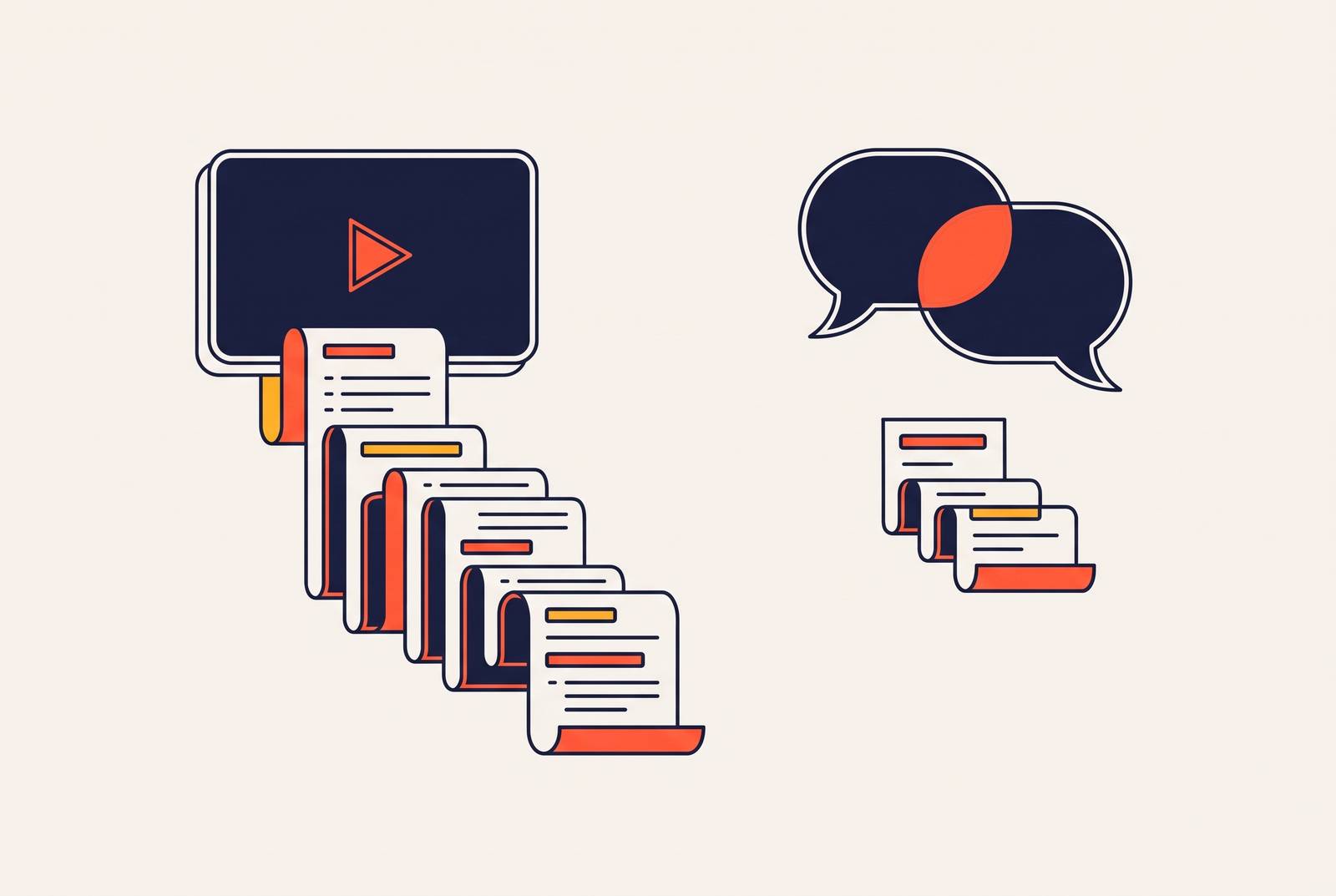
Script length for a sales video is a math problem, and the math is different depending on whether a prospect is watching alone or talking to a human.
Async video and live calls run on separate attention budgets, and mixing up the rules for one with the rules for the other is how good products end up with demos nobody finishes.
Async video versus live calls: different length constraints
A video that autoplays on a homepage is competing with Slack notifications, a second browser tab, and whatever just buzzed on someone's phone. There's no social penalty for clicking away at second eight, so plenty of people do exactly that, and that's a ceiling built into the format itself that no amount of polish lifts much higher.
Live calls play by different physics. A rep is narrating, a buyer is asking questions, and the back-and-forth of a real conversation spreads the mental workload across two people instead of dumping it all on one. That shared load is why a 15-minute live product walkthrough holds up fine while a 15-minute async video almost always collapses under its own runtime. There's also a simple social mechanic at work: closing a browser tab takes zero effort and zero courage, but hanging up on a live rep mid-sentence takes actual nerve most people don't have. That friction alone stretches how long a buyer will sit through a live call compared to a solo video, regardless of how interesting either one is.
Completion physics, not content volume, set the outer limits of async script length
Async scripts need to be written backwards, starting from the ending and working toward the opening, because anything placed near the end of a video most people won't finish is functionally invisible. It never gets delivered. The catch is in those last four words. A longer demo doesn't pull more viewers to the finish line; it just lets the ones who were already going to finish travel a little further.
The practical fallout is blunt: most people watching an async demo never reach whatever comes after the opening stretch. Opening on the product actually doing something, the most visually interesting material available, is a structural requirement, the same way a seatbelt isn't a design accessory.
None of this means a shorter demo carries less persuasion. It means the persuasion has to get packed into the window where viewers are actually still present, rather than spread thin across a runway most of them never reach. Fair enough. That doesn't change the physics of attention. It changes the strategy: complexity gets handled with several short, targeted demos aimed at different questions, not one long demo trying to answer all of them at once.
The right async script length at each funnel stage
There's no single correct async script length, because the right length depends on where the viewer sits in the funnel and how much attention they've already agreed to spend. Calibrate to context first, then to content.
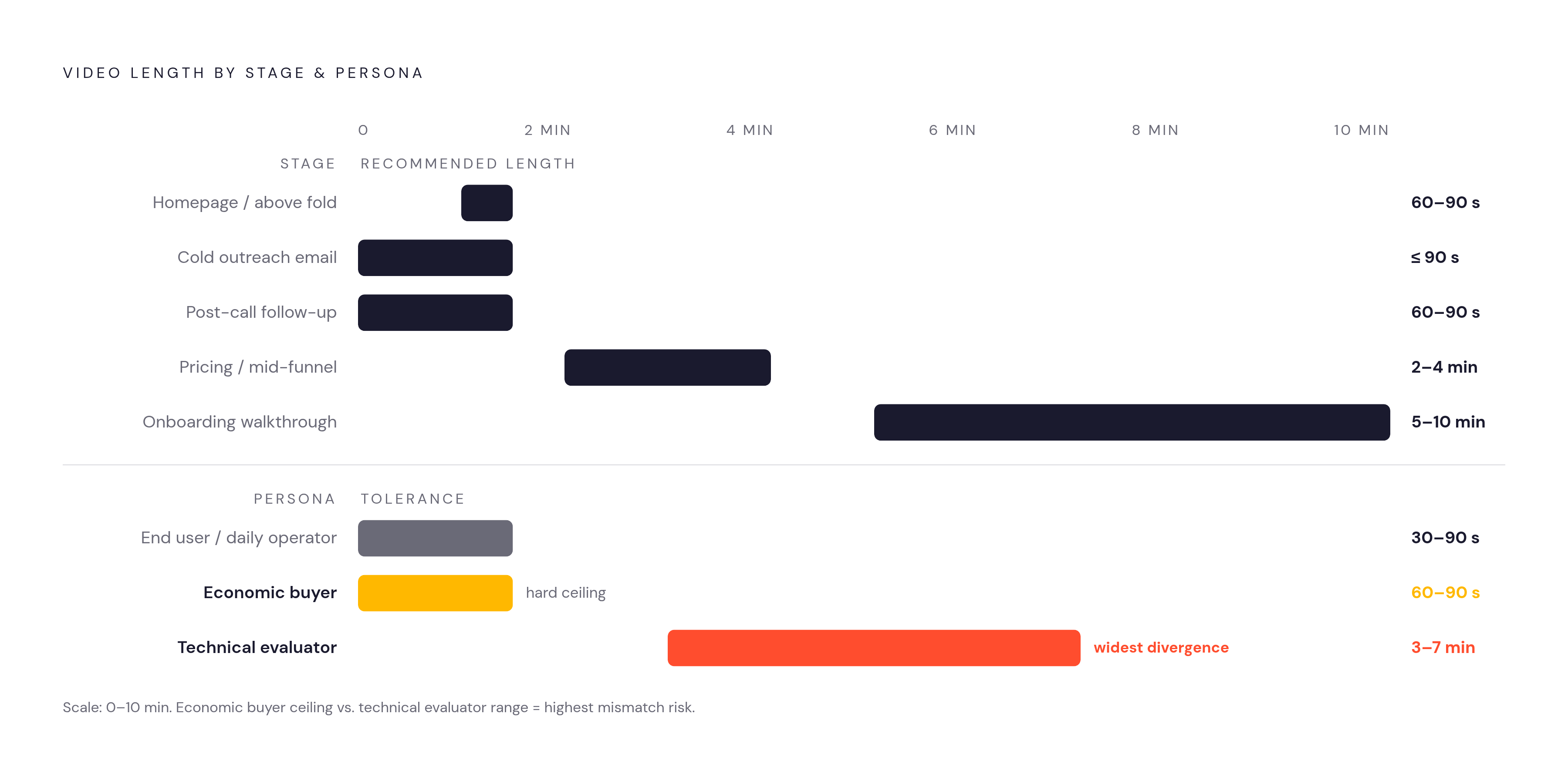
On a homepage, above the fold, the target is 60 to 90 seconds. The goal at this stage is to earn the next click. The structure that works: show the problem, show the product doing something real, land on a result, all inside that short window.
A video embedded in a cold outreach email needs to stay under 90 seconds. One exception applies: a prospect who already replied expressing interest has earned more runway and can be offered up to two minutes.
On a pricing page or deeper in evaluation, 2 to 4 minutes is the right range. Demos in the 3 to 5 minute range often get forwarded around a buying committee with no rep in the room to narrate, so the video has to stand entirely on its own. That's precisely where editing, captioning, and sharing a finished video from a single tool turns script discipline into something a whole sales team can repeat, instead of a trick only one rep happens to be good at.
Feature-specific walkthroughs flex depending on who's watching and why. Past that point, the content probably needs to be clicked through live.
Post-call follow-up videos belong in the 60 to 90 second range too. This is a personalized recap of the one or two things that actually mattered to that specific buyer on that specific call, not a second product demo. The short window forces specificity: a rep who can't summarize what mattered inside 90 seconds probably had a discovery call that didn't surface enough to summarize.
Onboarding walkthroughs are the outlier: 5 to 10 minutes. The viewer has already signed up and wants to learn, so intent changes the math and length stops being a liability here. Building these in modular segments still matters, so users can jump straight to the part they need.
Buyer persona and length tolerance by funnel stage
Funnel stage alone doesn't set the right length. The person watching matters just as much, because different roles in a buying decision are asking different questions at different speeds.
An economic buyer (a VP, a Director, someone in the C-suite) wants 60 to 90 seconds that answer what the product does, who it's for, and what measurable result it produces. A feature tour in front of this person actively works against the video. If an economic buyer sees a UI walkthrough before understanding the business case, the video has already lost them. The script needs to lead with the outcome, name the problem, show the result, and leave the interface for later.
A technical evaluator will happily sit through 3 to 7 minutes, because they're hunting for implementation answers the economic buyer never thinks to ask about. This person has self-selected for depth, and depth is what earns their trust, not a shorter runtime.
An end user or daily operator wants something else again: short, task-specific clips in the 30 to 90 second range they can find later, rewatch, and apply on the spot. Microlearning is the right model here, breaking a complicated workflow into 2 to 3 minute segments rather than one long walkthrough trying to cover everything at once.
Write for one primary viewer, not an average of everyone who might see it.
Why live call script length follows different rules
Live calls can run longer than async video because dialogue spreads out the mental load of processing new information. But longer isn't unlimited, and ignoring the live format's own ceiling produces a different kind of failure than async drop-off does.
Live calls work best on prospects who are already warmed up and qualified. Research across more than 200 SaaS companies found that the overwhelming majority of software buyers won't book a live sales call without having already seen the product in some form. That makes live calls a late-funnel tool, not an early one, and it has direct consequences for how async and live scripts ought to relate to each other.
A live script can stretch longer because the rep can read the room in real time: adjusting pacing, skipping ahead, slowing down when a buyer's eyes glaze over. Async video has no equivalent capability. That adaptability is the live format's real advantage, and it's also why a live call script should work more like a flexible skeleton than a word-for-word transcript. The conversation itself fills in and reshapes the material as it goes.
The failure mode appears when live calls become the only way to see the product at all, with every bit of product visibility locked behind a booking form. Conversion suffers in that setup, because most buyers won't hand over a live hour to a product they've never laid eyes on. Only 4% of SaaS companies currently use interactive demos, and 30% show no product whatsoever before a sales conversation starts. That gap is exactly where async demos earn their keep, resolving friction that a booking form only makes worse.
Async video and live calls as a sequenced system
The strongest demo strategy treats async video as qualification and preparation for the live call, not a replacement for it. That means the async script's job is to earn the next conversation, not to close the deal on its own.
GoCardless tested this directly: switching the call-to-action from "Request a demo" to "Watch a demo" produced a decisive lift in conversion, because "Watch a demo" promises instant access with zero scheduling commitment, removing exactly the friction that suppresses conversion at the top of the funnel.
Three formats now operate side by side: passive async video, live human calls, and live AI demo agents. Each one handles a different job. Async covers reach and initial qualification at scale. Live AI agents handle interactive exploration for buyers who want to click around without waiting on a human. Human reps get reserved for the high-value, complicated accounts that actually need a person in the room. Traditional "book a demo" forms convert at a fraction of what live-access formats manage, and that ceiling has held steady for years regardless of how well the passive video happens to be scripted.
Seen this way, a short async script is a deliberate choice to filter and qualify efficiently, then hand a warmed-up buyer off to the format built for depth, instead of asking the passive video to do a live call's job.
The master-recording approach that lets one shoot produce scripts at every length
The fix for juggling five different length requirements is one modular master recording, usually a full walkthrough running 8 to 12 minutes, that gets cut down into whatever versions each use case needs.
From that single master, three versions typically come out: a 60 to 90 second cut for homepage placement and cold outreach, a 2 to 4 minute cut for mid-funnel evaluation, and the full-length walkthrough for technical evaluators, onboarding, and post-sale customer success.
This only works if the master is scripted in self-contained sections from the start. Each segment needs to stand on its own so it can be pulled out cleanly without a re-shoot. If getting the 90-second version requires splicing together three disconnected chunks from a loosely organized eight-minute recording, the editing time eats up whatever efficiency the whole approach was supposed to buy back.
A four-part structure makes that modularity possible: open on the problem (about 20 seconds), show the before-state (about 15 seconds), demonstrate the transformation through the core workflow (60 to 90 seconds in the short cut, longer in extended versions), and close with results plus a next step (about 15 seconds). Each block can stand alone or stretch out as needed. The closing block from the 90-second cut becomes the mid-section transition in the 4-minute version, filmed only once.
How recording tools like Tella shape length decisions
Demo length often gets decided by accident, by whatever a recording tool makes easy or however long a presenter's energy holds out. The right tool turns that accident into a deliberate choice.
Tella is built around the exact workflow described above: record, edit, and share from inside a single tool without switching apps, so the gap between a raw master recording and a polished 90-second cut takes minutes. Auto Layouts reframes screen and camera footage to emphasize whichever element matters most at each moment, useful when one shoot has to produce a homepage embed, a LinkedIn clip, and an email thumbnail without three separate recordings. The Pro plan runs $13 a month and includes unlimited videos, recordings up to six hours per clip, 4K exports, team collaboration, and analytics.
Teams building out structured training libraries and tutorial content, rather than sales demos and outreach videos, might lean toward Camtasia, which offers a full manual timeline editor suited to that kind of production work. The trade-off is that Camtasia's manual timeline brings back the editing friction that the multi-length strategy is trying to avoid. It's a strong fit for a dedicated video producer working on one polished piece at a time, less so for a sales or marketing team that needs to cut demos at volume every week.
The one metric that tells you whether your current async script length is working
One number settles how long a script should actually be: average view duration, plotted against the exact point in the video where the call-to-action or core insight lands. If viewers are dropping off before they reach that point, the script is too long for the context it's being used in, no matter how strong the content is.
Pacing carries just as much weight as total length. A three-minute video with quick cuts, varied visuals, and constant forward motion holds onto far more of its audience than a three-minute video full of slow cuts and dead air. Two videos of identical length can perform completely differently depending on how tightly the pacing is built. Runtime alone never tells the whole story.
The real diagnostic question is where most viewers stop watching, and what they were supposed to see right after that point. Answering that second question points directly at what needs to get cut or moved earlier. Analytics built into the sharing layer, view duration, drop-off point, replay rate, make this diagnosis possible without running any kind of formal study, because the data is sitting there on every video already sent out. Check the drop-off point, find what got buried after it, and move that content toward the front.