Teleprompter Use in Product Demo Recording
A teleprompter frees the presenter to navigate the product while delivering a polished explanation.
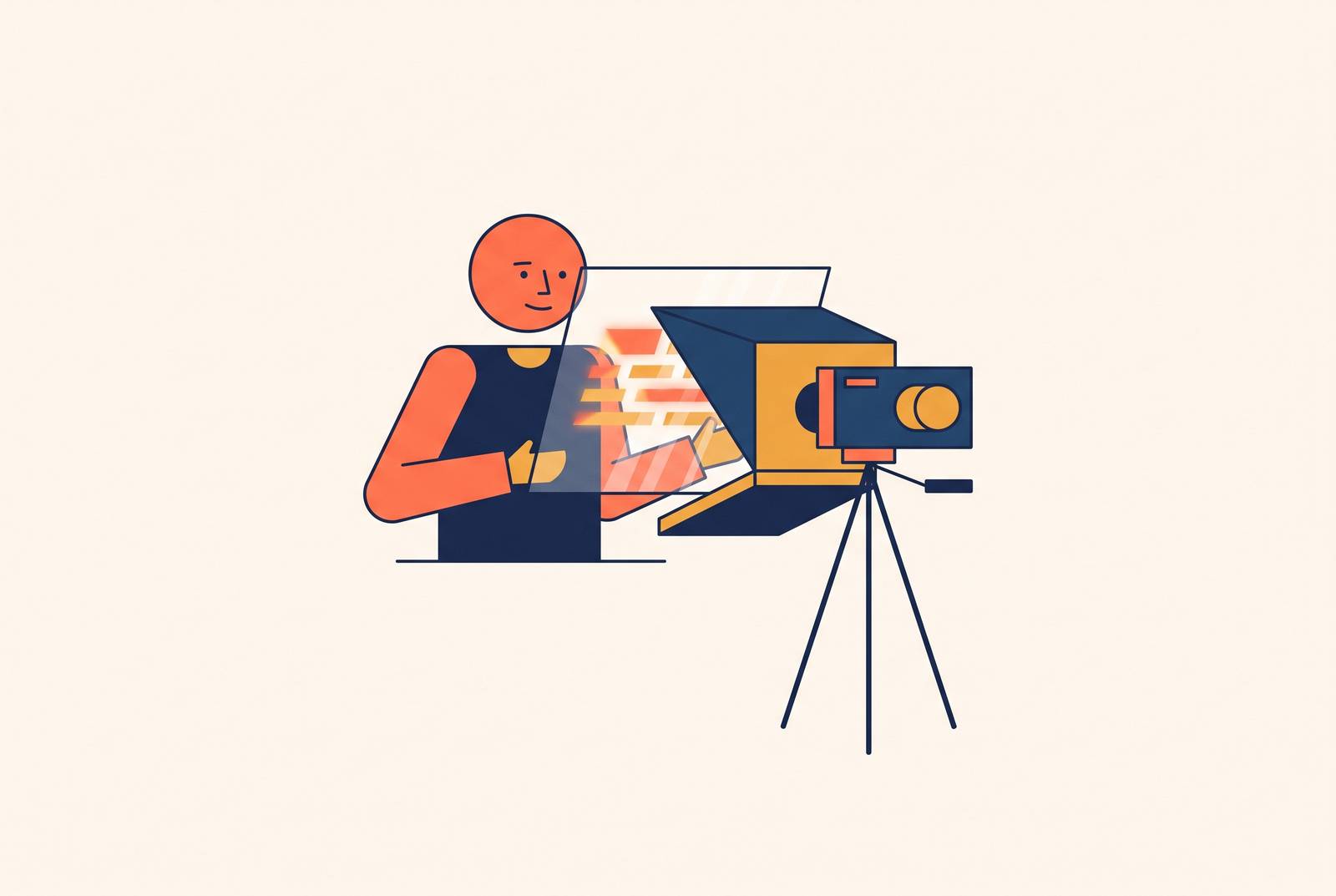
When a presenter records a product demo, they have to explain the product while using it, and both jobs suffer when they split their attention. A teleprompter helps by taking “what to say next” out of working memory. Its value is more attention for the audience and the screen, a principle that determines the script, the tool, and the recording workflow.
Why narrating and navigating at the same time degrades both
The cursor reaches the next button, the screen changes, and the sentence disappears halfway through. The presenter knows the product and has rehearsed the explanation, yet suddenly has to recover both the next action and the next thought. All the while, the recording keeps going, with the patience of a parking meter. This is dual-task interference in plain clothes. Clicking through a product, reacting to its interface, and constructing sentences draw on the same limited attention.
Cursor movements become imprecise, pacing rushes or stalls, and the voice shifts its attention from the audience to the screen. GhostPrompter names related sales-demo problems, including forgotten key features or ROI stats, glances away from the camera to check notes, and fumbling through the product. The presenter is trying to keep the explanation intact while the interface demands a response.
Even a polished presenter can lose fluency when an unexpected screen state interrupts the planned sequence. Knowing the route is different from describing it clearly while steering around a surprise.
What a teleprompter actually removes from the presenter's cognitive load
Without a teleprompter, the presenter holds the script in working memory, decides what to say next, monitors their voice, and tracks the screen. A teleprompter takes over the next-sentence task by keeping the words available. That frees attention for tone, pacing, eye contact, and cursor placement. It removes one competing demand so the presenter can more easily coordinate operating the product and delivering the explanation.
This is also the answer to the familiar objection that a teleprompter makes people sound scripted. Reading can sound stiff, but mentally composing every sentence while navigating is hardly a recipe for warmth. With the wording settled, the presenter can pay attention to how it sounds, freed from silently auditioning the next clause. Natural delivery depends on that freedom. Improvisation is not a badge the viewer needs to see.
Bullet points offer less relief because they preserve the need to construct sentences in real time. For demos shown to customers or where much is at stake, having to put sentences together adds strain when the message needs to stay the same. Scrolling behavior matters for the same reason. GhostPrompter’s voice-activated scrolling follows the presenter’s speaking pace, pausing when they pause to handle an objection and speeding up when they speak faster.
How the script itself determines whether the teleprompter helps or just moves the problem upstream
The tool can take sentence construction out of the recording only if that work has already been done well. Start with the demo’s sequence of Problem → Feature → Benefit, so each product action belongs to an explanation the viewer can follow. Write in second person, using “you” and “your” to connect the feature to its use. The script should sound like a helpful guide. Read it aloud before recording to catch phrases that look tidy but stumble in speech.
Next, break the paragraphs into short lines that can be read in a single breath. Each line should carry one complete thought without forcing a pause halfway through to breathe or regroup. Add markers such as [PAUSE], [DEMO FEATURE], and [SHOW SCREEN] where speech must hand over to an on-screen action. Number the key points so there is a clear place to re-enter after losing track. These are navigation aids for the presenter to follow silently.
Then separate the “talk” sections from the “demo” sections. Read the explanation, perform the action, and resume reading instead of trying to read technical content while demonstrating it. Test scroll speed while speaking and performing those actual actions, including the clicking, tapping, and navigation. Speaking pace changes when the product needs attention, so a speed that feels slow in practice may be right under camera pressure.
The invisible-overlay requirement that separates demo teleprompters from general ones
A screen-recorded demo adds a constraint that a talking-head video does not have. The presenter must see the script, but the audience and the recording must not. In a talking-head setup, text can sit beside or below the camera without entering the frame. During a screen recording or live screen share, a captured overlay becomes part of the presentation. The audience came to see the product.
That makes invisibility a first filter for tool choice, rather than a nice extra after font size and scrolling controls. GhostPrompter provides an overlay that is invisible to Zoom, Teams, Google Meet, and screen recording or screen share software. The audience sees the product dashboard while the presenter sees the script. Its click-through design also lets the presenter fill in forms, open features, and move through dashboards while the overlay stays out of the way of the interface. Hiding the script is only half the requirement if it still gets in the cursor’s way.
A mobile-first teleprompter does not solve the same laptop workflow. Looking back and forth at another screen breaks eye contact and makes the presenter switch attention again while keeping track of the product. That can restore the very burden the teleprompter was supposed to remove. A second monitor can help with placement, but it is not required. On a single screen, the overlay can sit next to the product interface or below the camera frame, keeping the words close to the work.
The recording workflow that produces a clean demo when script and tool are working together
Once the script separates explanation from action and the overlay stays out of the capture, recording becomes a timed sequence with its timing settled in advance. Narrate at a steady, moderate pace, then leave a beat on each screen before clicking so the viewer can read the interface. Move the cursor with deliberate care. The pause gives the visual explanation time to catch up with the spoken one. A viewer should not need to race the pointer to understand the feature.
The script’s [PAUSE] and [DEMO] markers govern those handoffs. At the marker, stop reading, perform the action, and then resume the explanation. This prevents narration from carrying on through a click the viewer has not yet processed. Because scroll speed has already been tested against the product actions, the words and the screen now follow the same pace. The presenter still controls the delivery, but no longer has to invent its timing at every turn.
For the highest-stakes demos, the work can be separated further by recording the screen first and reading the script against a rough edit as a voiceover. The teleprompter supports that narration-after workflow as well as live narration. If a six-scene demo goes wrong at scene three, only scene three needs to be re-recorded.
What the teleprompter saves in post-production and what it does not
A visible script reduces blank-out moments that would otherwise trigger full retakes. It also reduces filler words because the presenter is reading sentences prepared before the take. Testing the scroll speed against real delivery produces cleaner pacing. These gains help turn a usable recording into a polished demo, though a gap remains.
They do not close that gap entirely. Dead air between scenes may still need trimming, even when the pauses helped during recording. Zoom effects can draw attention to the specific interface element the cursor is showing. Subtitles and captions still need generating, and the video may need a background or layout treatment. A teleprompter aids delivery.
The amount of finishing work depends on the demo’s audience and purpose. A tight script reduces avoidable cleanup, but polished output still calls for post-production. When choosing tools, better controls for delivery alone will still leave a need for editing controls. Even a clean take needs to be replaced after the product changes. Those are separate costs, and the right workflow depends on which one is taking the most time.
How tool choice shapes the tradeoff between delivery control and editing overhead
For live screen-share and sales demos, the main constraint is often delivery while the product is being navigated. GhostPrompter fits that setting through its invisible, click-through overlay and voice-activated scrolling. Scripts can be organized by product, industry, or deal size, and the tool runs locally without internet or integration behind a product dashboard. These features suit sales teams that give live demos or record outreach videos for each customer with the product interface as the main thing on screen. It addresses the presentation problem without asking the presenter to move to a separate script screen.
DemoScope has a different set of controls for recording mobile app demos on an iPhone. Its native iOS features include a face cam overlay, touch indicators, and a teleprompter. Recording happens on-device so the app runs at native performance, and the tool exports watermark-free MP4. This works well for independent developers who make App Store preview videos or content for a product launch on the device itself. It is a different context from using a mobile screen to prompt a laptop demonstration.
Timeline-based desktop editors support precise finishing with detailed zoom choreography and multi-track audio control. The tradeoff is substantial editing time per finished minute and a meaningful learning curve. That time is well spent for teams with a dedicated video editor who makes evergreen documentation. For SaaS teams, founders, and educators without a dedicated editor, the need for polished customer-facing demos, onboarding walkthroughs, or investor updates makes editing overhead a more pressing constraint. Delivery quality matters, but it is only one part of the time required to finish.
If repeated recording is the bottleneck, AI-first generators and recording-based tools change the decision again. Demosmith uses an AI agent to turn a URL and prompt into narrated video, interactive demos, and docs. Vibrantsnap and Clueso work from recordings to transcribe, rewrite, and re-voice. These approaches remove the need for the presenter to read a script while navigating the product, but also remove the human presenter’s face and authentic delivery from the result. Their value depends on whether easier production matters more than that human presence.
Where the teleprompter approach reaches its ceiling and what comes after it
A teleprompter frees attention for delivery and navigation during a planned recording, while running a demo library involves additional demands. It does not solve personalization at scale or turn linear video into an interactive experience. When a significant interface change makes the script and its markers refer to screen states that no longer exist, the recording must be redone. Better delivery does not make footage immune to product updates.
For self-serve demos and help centers, interactive capture tools offer a different form of explanation. They produce a clickable replica of the product, letting viewers choose their own path through the walkthrough. No teleprompter is relevant to that experience. For global reach, AI-autonomous agents such as Demosmith can generate narration in multiple languages with dynamic captions. Those outputs trade a human face and authentic delivery for a different production model.
Interactive capture suits viewers who need to explore, while generated narration suits demos where frequent UI changes make re-recording the main cost and a human presenter is not needed. Teleprompter-narrated recording remains the strongest answer for investor updates, educator-to-student course content, customer success walkthroughs delivered by a named CSM, and sales demos built on trust in the presenter. In those settings, the person is part of the explanation. The teleprompter earns its place by freeing that person to deliver it.